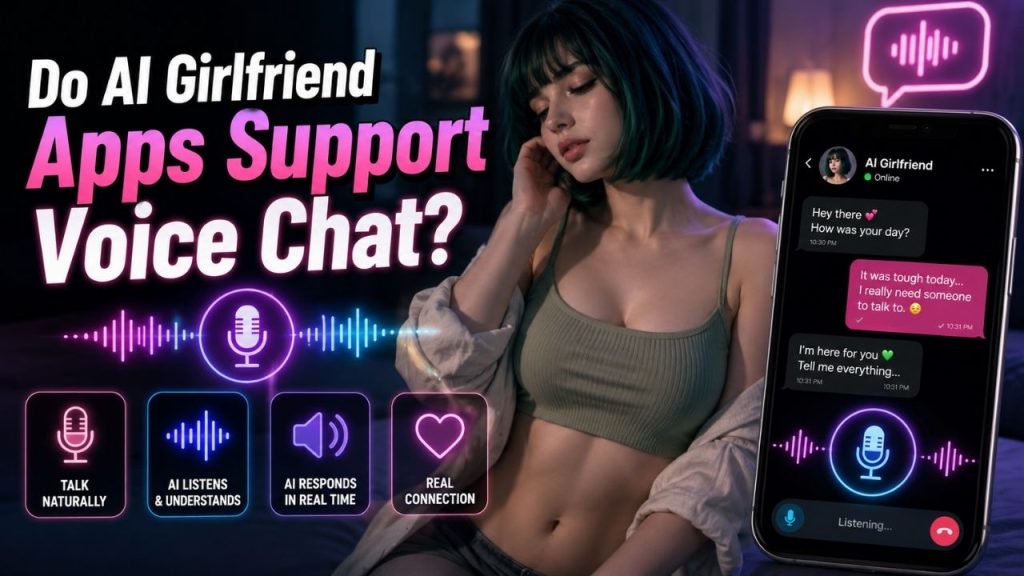
Sometimes typing is enough. But there are moments when you would rather just speak and hear a response.
That is where voice features come in.
Many AI girlfriend apps now offer some form of voice interaction. However, the phrase voice chat can mean very different things. One app may simply read text responses aloud, while another may let you speak through your microphone and receive a spoken reply.
This guide explains what you can actually expect from AI girlfriend voice chat, how it works, and what to check before choosing an app.
Table of Contents
Do AI Girlfriend Apps Support Voice Chat?
Yes, some AI girlfriend apps support voice based interaction.
However, not every voice feature provides the same experience.
You may come across an app that lets you listen to AI responses but still requires you to type your messages. Another may allow you to send voice messages. Some apps offer a more direct two way experience where you speak to the AI and hear it respond.
That difference matters.
If you specifically want to talk naturally instead of typing, simply seeing the word “voice” in an app’s feature list may not be enough. You need to check what type of voice interaction it actually offers.
The most common options usually fall into a few categories.
What Types of Voice Features Do AI Girlfriend Apps Offer?
AI girlfriend voice features can range from simple spoken replies to more interactive conversations.
Here is the basic difference.
Spoken AI Responses
This is one of the simplest voice features.
You type a message, the AI generates a response, and the app reads that response aloud using an artificial voice.
For example, you might type:
“How was your day?”
Instead of reading the answer, you hear the AI character speak it.
This can make a text conversation feel more expressive, but you are still primarily communicating through typing.
AI Voice Messages
Voice messages are closer to exchanging audio messages.
You may send a message, and the AI responds with a spoken message that you can play.
The conversation can still happen one response at a time.
This is different from a continuous voice conversation because you may need to record, send, or play individual messages.
Two Way Voice Chat
With two way voice chat, you speak to the AI using your microphone.
The app processes what you say, and the AI responds with a generated voice.
This is closer to having an actual spoken conversation.
Instead of typing:
“I had a stressful day.”
You simply say it.
The AI then responds verbally.
Real Time Voice Conversations
Some voice systems are designed to make the exchange feel more continuous.
You speak, the AI responds, and you continue the conversation without switching back to the keyboard for every message.
The quality of this experience can depend on response speed, speech recognition, voice quality, and the AI’s ability to follow the conversation.
Here is a simple comparison:
| Voice Feature | Your Input | AI Response | Overall Experience |
| Spoken responses | Usually text | Spoken reply | Text chat with voice |
| Voice messages | Text or recorded audio | Separate audio response | Message-based |
| Two way voice chat | Your voice | Spoken reply | Direct conversation |
| Real time conversation | Continuous speech | Faster spoken interaction | More conversational |
The important point is simple: voice messages and spoken responses are not automatically the same as live voice chat.
Voice Chat vs. Voice Messages: What Is the Difference?
These terms are often used interchangeably, but the actual experience can be quite different.
With a voice message, you generally communicate through separate recordings or generated audio replies.
You say something.
The system processes it.
Then you receive an audio response.
A voice chat is usually more interactive.
You speak directly to the AI, hear a response, and continue the conversation.
For example, imagine saying:
“I can’t decide what to watch tonight.”
In a voice message format, you may send the message and wait for an audio reply.
In a two way voice conversation, the interaction may feel more like talking back and forth.
This distinction is useful when comparing apps.
An app may advertise an AI voice feature without offering a fully interactive voice conversation.
So, if live conversation is important to you, check specifically for microphone-based or two-way voice interaction.
How Does AI Girlfriend Voice Chat Work?
The technology behind voice chat can be complex, but the basic process is easy to understand.
It generally follows this sequence:
You speak → your speech is recognized → the AI creates a response → the response is converted into speech
Here is what happens in a little more detail.
You Speak Into Your Device
The app uses your phone or computer’s microphone to capture your voice.
Depending on the platform, you may need to tap a microphone button or give the app permission to access your microphone.
Your Speech Is Processed
The system needs to recognize what you said.
Your spoken words are processed so the AI can work with the content of your message.
Speech recognition quality can affect the experience.
If the system misunderstands what you said, the AI may respond to the wrong idea.
The AI Generates a Response
The AI then creates a response based on your message.
It may also use the current conversation and any available character settings or memory features.
For example, if you say:
“I’m nervous about tomorrow.”
The AI may use the earlier conversation to understand what “tomorrow” refers to.
Without that context, the response may be more general.
The Response Is Turned Into Speech
Finally, text-to-speech technology generates the voice you hear.
The quality can vary significantly.
Some voices sound relatively natural, while others may sound more synthetic or have unnatural pauses.
The exact technology and processing methods differ between platforms, so the experience is not identical across every AI girlfriend app.
Can You Have a Natural Conversation With an AI Girlfriend by Voice?
You can have a spoken conversation with some AI girlfriend apps, but “natural” can mean different things to different people.
Voice can make an interaction feel more immediate because you do not need to type every message.
You speak.
The AI responds.
Then you continue.
That can feel more conversational than watching text appear on a screen.
However, several factors affect how smooth the experience feels.
Speech Recognition
The app needs to understand what you are saying.
Accents, background noise, unclear speech, or technical limitations can sometimes cause misunderstandings.
Response Speed
Long pauses can interrupt the flow of a conversation.
A faster response usually feels more natural because you are not waiting several seconds after every sentence.
Voice Quality
A realistic sounding voice can make a big difference.
But voice quality alone is not enough.
An excellent voice can still feel unnatural if the AI gives repetitive or unrelated answers.
Conversation Quality
The AI needs to understand the topic and respond appropriately.
If you tell it something personal and it immediately changes the subject, the conversation will not feel natural regardless of how realistic the voice sounds.
Context and Memory
The AI also needs enough relevant information to follow the conversation.
This is particularly important if you regularly talk to the same AI character.
Voice interaction may feel more engaging, but the quality of the underlying conversation still matters.
Can You Choose or Customize an AI Girlfriend’s Voice?
Some apps offer multiple voice options, while others provide limited choices or use a default voice.
Depending on the platform, you may find options related to:
- Different voices
- Speaking styles
- Tone
- Accent options
- Character specific voices
However, voice customization should not be confused with character customization.
An app might let you change a character’s appearance without allowing you to change its voice.
Another app may offer several voices but only limited control over the character itself.
If a particular voice style matters to you, check the available options before subscribing or making a purchase.
Feature availability can also change as apps update their services.
Do All AI Girlfriend Apps Offer Voice Chat?
No.
Some AI girlfriend apps focus primarily on text based conversations.
Others may offer spoken responses but not microphone based conversations.
Some may include voice messages as an additional feature.
And some may place greater emphasis on real time voice interaction.
This means you should not assume that every AI girlfriend app works like a voice assistant.
The availability of voice features can also differ between free and paid plans.
An app might offer basic voice interaction to all users while limiting longer conversations or premium voices to subscribers.
Features can also change over time.
Before choosing an app specifically for voice chat, check its current feature information rather than relying on an older review or description.
Are AI Girlfriend Voice Features Free?
Sometimes, but not always.
The way voice features are offered depends on the platform.
You may find:
- Free voice access
- Limited free usage
- Premium voice features
- Daily or monthly voice limits
- Credit based voice usage
- Subscription only access
For example, an app might allow you to try voice chat for a limited amount of time before requiring a subscription.
Another may include voice interaction as part of a paid plan but place limits on how much you can use it.
The details can change, so always check the current plan information before paying.
If voice chat is the main reason you are choosing an AI girlfriend app, do not subscribe based only on the presence of a microphone icon.
Find out exactly what the plan includes.
Do AI Girlfriend Voice Chats Have Limits?
They can.
Depending on the app, voice features may have restrictions such as:
- Daily usage limits
- Monthly voice minutes
- Limited free access
- Premium only conversations
- Usage credits
- Session limits
- Restrictions on certain voice options
Not every app uses the same system.
One platform may allow unlimited text conversations but limit voice usage.
Another may include voice as part of a subscription.
That is why it is useful to check the terms of the specific plan you are considering.
A feature described simply as “voice chat” does not tell you how much access you will actually receive.
Privacy: What Happens When You Talk to an AI by Voice?
Voice chat requires your device’s microphone.
That means you should pay attention to permissions and privacy information before using the feature for highly personal conversations.
Depending on the service, your voice interaction may involve audio processing, speech-to-text processing, transcripts, or other forms of conversation data.
The exact handling of this information varies between platforms.
Before using voice chat, consider checking:
- What microphone permissions the app requests
- Whether audio is stored
- Whether conversations are converted into text
- How long information may be retained
- What privacy controls are available
- How you can delete your account or data
There is no single answer that applies to every AI girlfriend app.
If privacy is important to you, the most reliable approach is to review the specific service’s current privacy policy and account settings.
It is also worth thinking about what you are comfortable sharing.
Voice chat may feel more personal than typing, but that does not mean you need to share every detail about your life.
What Should You Look for in an AI Girlfriend Voice Chat?
If voice interaction is important to you, compare more than just whether an app says it supports voice.
Here are the features worth checking.
Voice Quality
Listen to how the voice actually sounds.
Does it feel pleasant and natural enough for the type of interaction you want?
Response Speed
A slow response can make a conversation feel fragmented.
If possible, test how quickly the AI responds after you finish speaking.
Conversation Quality
The voice is only one part of the experience.
Pay attention to whether the AI understands your questions and follows the topic.
Voice Options
Check whether you can choose between different voices.
This may be important if the default voice does not match the character experience you want.
Conversation Continuity
If you plan to use the same AI regularly, see whether it can maintain context and remember relevant information.
Usage Limits
Check whether there are limits on voice minutes, sessions, or messages.
Pricing
Find out whether voice chat is included in the free version or requires a subscription or additional credits.
Privacy Controls
Review what options are available for managing microphone permissions, conversations, and account data.
Looking at these factors together will give you a much clearer picture than simply checking whether the app has a voice feature.
A Simple Example of AI Girlfriend Voice Chat
Imagine opening an AI girlfriend app after a long day.
Instead of typing, you tap the microphone and say:
“Today was exhausting.”
The app processes what you said.
The AI understands the message and generates a response.
Then you hear the character reply:
“Sounds like you had a long day. What happened?”
You continue speaking.
You explain what made the day difficult.
The AI responds again.
That back and forth is what people usually expect when they think about AI voice chat.
Compare that with typing a message and pressing a button to hear the reply read aloud.
Both use AI generated speech, but the experience is different.
One is mainly text chat with a voice.
The other allows you to interact through speech itself.
Is Voice Chat Better Than Text Chat?
Not necessarily.
Voice chat and text chat both have advantages.
Voice chat can be useful when you want:
- A more immediate interaction
- Hands free communication
- A spoken response
- A more conversational experience
- An alternative to typing
Text chat can be better when:
- You are in a public place
- You want more privacy
- You prefer reading
- You want time to think before replying
- Voice features have usage limits
- You have a poor microphone or noisy environment
For many people, the best experience may include both.
You might use text during the day and switch to voice when you are at home and want a more relaxed conversation.
The right choice depends on how you prefer to interact.
Conclusion
Yes, some AI girlfriend apps support voice chat.
But the type of experience you get can vary considerably.
One app may simply read AI responses aloud. Another may let you exchange voice messages. A different platform may offer a more direct two way spoken conversation.
If voice interaction is important to you, look beyond the word “voice.”
Check whether you can actually speak to the AI, how quickly it responds, how natural the voice sounds, whether there are usage limits, and what privacy controls are available.
A realistic voice can make the experience feel more immediate, but it is only one part of the picture.
The AI still needs to understand what you say, follow the conversation, and give responses that make sense.
That combination is what makes voice chat useful rather than just a feature on a list.
FAQs
Do AI girlfriend apps support real voice conversations?
Some do. Depending on the platform, you may be able to speak through your microphone and receive a spoken response. Other apps may only offer spoken replies or voice messages.
What is the difference between AI voice chat and voice messages?
Voice messages are usually separate audio interactions. Voice chat is generally more interactive and allows you to speak and receive spoken responses as part of an ongoing conversation.
Can I talk to an AI girlfriend using my microphone?
If the app supports microphone-based voice interaction and you grant the necessary permission, you may be able to speak directly to the AI.
Can an AI girlfriend talk back to me?
Yes, apps with text-to-speech or voice conversation features can generate spoken responses. The exact quality and level of interaction vary by platform.
Can I choose my AI girlfriend’s voice?
Some apps provide multiple voice options or customization settings, while others use a default voice or offer limited choices.
Do all AI girlfriend apps have voice chat?
No. Some are primarily text based, while others offer spoken responses, voice messages, or more interactive voice conversations.
Is AI girlfriend voice chat free?
It depends on the app. Voice features may be free, limited for free users, included with a subscription, or subject to credits or usage limits.
Are there limits on AI voice conversations?
Some platforms may limit voice minutes, sessions, daily usage, or access to premium voices. Always check the current plan details.
Is it safe to use voice chat with an AI girlfriend app?
Safety and privacy depend on the specific platform and how it handles voice and conversation data. Before sharing sensitive information, review the app’s current permissions, privacy policy, and available data controls.