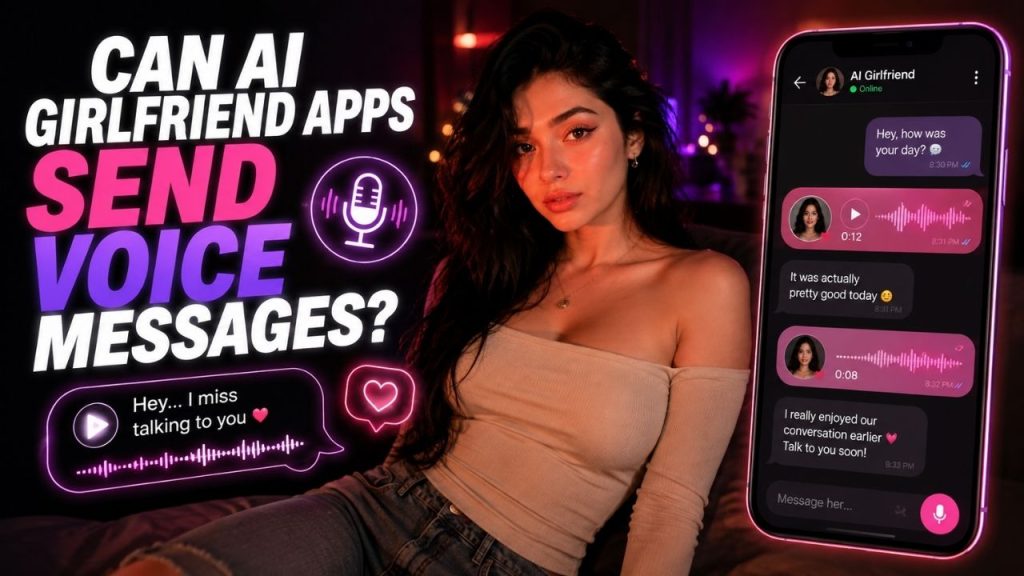
A text reply can carry a conversation forward, but hearing a response can change the experience completely. A short laugh, a pause before an answer, or a calm tone can make an AI companion feel more expressive than plain text alone.
The short answer is yes, some AI girlfriend apps can generate and send voice messages. However, the feature does not work the same way everywhere. Some platforms generate short audio replies, some focus on real time voice conversations, and others may offer both. Voice quality, customization, usage limits, and availability can also vary.
What matters is understanding what the app actually provides. A voice message, a live voice call, and a prerecorded human audio clip are different things. In this guide, you will see how AI voice messages work, what they can sound like, how they differ from live voice chat, and what to check before choosing an app.
Table of Contents
What Is an AI Voice Message?
An AI voice message is generally an audio response created by converting generated text into spoken speech.
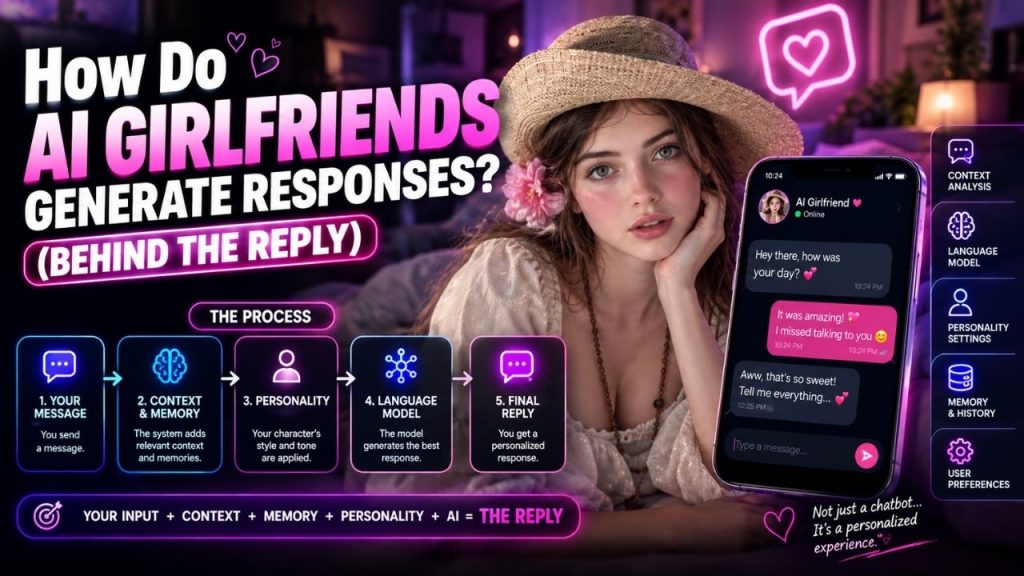
In a typical interaction, you send a message to the AI companion. The AI generates a response based on your message and the conversation, and a speech generation system turns that response into audio. You then hear the character’s reply instead of only reading it.
Depending on the app, the result may be a short spoken response, a longer audio message, or a character specific voice reply. Some platforms also let you trigger voice responses directly, while others use voice as part of a broader chat experience.
The important point is that an AI generated voice message is not automatically a new recording made by a real person for that specific conversation. The audio can be synthesized from the generated response using voice technology. The exact implementation, however, depends on the platform.
How the Voice Message Process Works
The process may look complicated behind the scenes, but from the user’s perspective, it usually follows a simple sequence.
1. You Send a Message or Request a Voice Reply
You might type a message such as, “How was your day?” In some apps, you may also tap a voice option or use a feature that specifically requests an audio response.
The app receives your input and sends it through its conversational system.
2. The AI Generates a Response
The AI determines what to say based on your message and any conversation context available to the system.
For example, instead of returning a written answer such as:
“I had a quiet day. I’ve been thinking about the movie we talked about yesterday.”
The system can prepare that response to be spoken aloud.
3. The Text Is Turned Into Speech
A speech generation or text to speech system converts the response into audio.
Depending on the technology used, the voice may include different levels of variation in:
- Pacing
- Pronunciation
- Pauses
- Intonation
- Emphasis
- Vocal expression
This is one reason voice quality can vary significantly between apps. The conversational AI and the speech system may also be separate components.
4. The App Delivers the Audio Response
The generated audio is then played inside the app or presented as a voice message style reply.
From your perspective, the entire process can feel simple: you send a message, wait briefly, and receive a spoken response.
The technical setup behind that experience can differ from one platform to another, so there is no single architecture used by every AI girlfriend app.
What Can AI Voice Messages Sound Like?
The answer depends heavily on the voice technology and how it is implemented.
Some AI voices can sound smooth and conversational, with natural pauses and changes in emphasis. Others may still sound noticeably synthetic, particularly during longer responses, unusual pronunciations, emotional moments, or certain languages.
Several factors can affect the result:
| Factor | Why It Matters |
| Voice technology | Different speech systems produce different levels of realism |
| Selected voice | Each voice can have its own style and characteristics |
| Language support | Quality may vary between languages |
| Response length | Longer messages can expose pacing or pronunciation issues |
| App implementation | The way audio is generated and delivered affects the final experience |
| Expression controls | Some systems offer more variation in tone and delivery than others |
A realistic sounding voice should also not be confused with a real human speaking live to you. A system can produce natural speech without the speaker being a person recording that exact message.
That distinction is important, especially as speech generation technology becomes more convincing.
Voice Messages and Live Voice Chat Are Not the Same Thing
These two features are often grouped together, but they provide different experiences.
A voice message is usually a separate audio response. You send a message or trigger an interaction, and the AI responds with spoken audio.
Live voice chat is designed for a more immediate back-and-forth conversation. You speak, the system processes your input, and the AI responds aloud in a conversational loop.
| Feature | AI Voice Messages | Live Voice Chat |
| Interaction style | Message-based | Real-time conversation |
| Response | Individual audio reply | Ongoing spoken exchange |
| Pace | You send or trigger, then receive audio | Both sides interact continuously |
| Best for | Listening to individual responses | Having a spoken conversation |
| Availability | Depends on the app | Depends on the app |
An app can offer voice messages without offering live voice chat. The reverse is also possible.
So if you specifically want an AI companion to send audio replies inside a chat, it is worth checking that feature directly rather than assuming every voice-enabled app works that way.
Can You Choose the Voice?
Sometimes, yes.
Some AI companion apps provide a selection of voices, while others connect a specific voice to each character. The amount of customization can range from choosing between a few preset options to having limited controls over the style of delivery.
Depending on the platform, available options may differ in:
- Speaking style
- Accent
- Tone
- Language
- Character presentation
- Overall vocal personality
Not every app gives users complete control.
A platform may intentionally give a character a fixed voice to maintain a consistent identity. Another may let you switch between several voices but offer little control beyond that.
Before choosing an app specifically for voice interaction, check whether the voice itself can be selected or changed. The presence of a voice feature does not automatically mean full voice customization is available.
Can AI Voice Messages Sound Emotional?
They can sound expressive, depending on the underlying speech technology.
A generated response may be delivered in a way that sounds calm, excited, playful, gentle, serious, or romantic. Pauses, pacing, emphasis, and changes in pitch can all influence how a listener interprets the message.
For example, the same sentence can feel completely different depending on how it is delivered.
“That sounds interesting.”
With a flat delivery, it may sound neutral. With more variation in pacing and emphasis, it may sound curious or enthusiastic.
However, there is an important difference between sounding emotional and experiencing emotion.
The voice system can generate speech patterns associated with particular emotional expressions. That does not mean the AI experiences those feelings in the way a human does.
For the user experience, though, vocal expression can still make a conversation feel more natural and less repetitive.
Why Voice Messages Can Feel More Personal
Text leaves a lot to interpretation.
A simple message can be read as serious, playful, sarcastic, or affectionate depending on the reader’s mood. Voice adds information that written words often cannot communicate directly.
Tone, timing, pauses, emphasis, and pacing can all change how a response feels.
Consider the difference between reading:
“I missed talking to you.”
and hearing those same words delivered with a soft, relaxed tone.
The words may be identical, but the experience is different.
This is one reason voice features can make AI companion apps feel more expressive. They add another layer to the interaction beyond written text.
At the same time, the quality of that experience depends on the voice itself. A natural conversation requires more than simply converting text into audio. If the pacing feels unnatural or the voice repeatedly mispronounces words, the effect can quickly disappear.
Common Limitations You May Encounter
Voice features are not always unlimited or included in every version of an app.
Depending on the platform, you may encounter restrictions such as:
- Voice messages being available only on a paid plan
- Credits or tokens being required for audio generation
- Daily or monthly usage limits
- Voice support being limited to certain characters
- A small selection of available voices
- Differences in quality between languages
- Limits on message length
- Slower generation during periods of high demand
These limitations are not identical across platforms.
Pricing models and feature availability can also change, so it is better to check the current details of the specific app rather than relying on an old description or assuming that one platform works like another.
Privacy Matters When You Use Voice Features
Voice output and voice input are different from a privacy perspective.
If you are only listening to AI-generated audio, the main issue is how the platform handles your account and conversation data.
If you are speaking into the app and sending voice recordings, there may be additional questions worth checking.
Before using voice input, review the platform’s current information about:
- Whether audio recordings are stored
- How voice input is processed
- Whether recordings can be deleted
- How long audio data may be retained
- Whether voice features can be disabled
- What happens when you delete your account
The answers can vary by service and may change as features are updated.
A sensible approach is to avoid assuming that every voice-enabled app handles recordings in the same way. If voice privacy matters to you, check the specific platform’s current privacy information before sharing audio you would consider sensitive.
What to Check Before Choosing an App for Voice Messages
If voice interaction is one of the main reasons you want to use an AI girlfriend app, a few simple checks can save you from choosing a platform that does not offer the experience you expect.
Make Sure It Supports Actual Voice Messages
Some apps advertise voice features but focus mainly on real-time voice chat.
If you want message-style audio replies that appear within a conversation, confirm that the feature is specifically supported.
Listen to the Voice Quality
Voice quality is subjective.
A voice that sounds natural to one person may not appeal to another. If a demo, sample, or free version is available, listening before paying for a subscription can help you decide.
Check Whether You Can Change the Voice
If having a particular accent, tone, or speaking style matters to you, see whether the platform offers multiple voices or assigns a fixed voice to each character.
Understand Any Usage Limits
Check whether voice generation is:
- Included with the subscription
- Limited to a certain number of interactions
- Based on credits or tokens
- Restricted by message length
- Available only with specific plans
The voice feature itself may be available, but the amount you can use it may depend on your account level.
Check Language Support
A platform may support several languages while offering noticeably different voice quality across them.
If you plan to communicate primarily in a language other than English, test that language if possible before committing to a paid plan.
A Simple Example
Imagine you send your AI girlfriend this message:
“How was your day?”
A typical voice-message interaction could work like this:
- You send the message.
- The AI processes your message and available conversation context.
- It generates a response.
- The speech system converts that response into audio.
- The app plays or displays the generated voice message.
You might hear something like a spoken version of:
“I had a pretty quiet day, but I’m glad you’re here now. How was yours?”
The exact response, voice, and delivery would depend on the character and the technology used by the platform.
This simple example shows why voice messages and ordinary text replies can feel different even when the underlying conversation follows a similar process.
Conclusion
Yes, AI girlfriend apps can send AI generated voice messages, but the feature is not identical across every platform.
Some apps provide short spoken replies. Others focus on real time voice conversations. Some may combine both approaches, while voice selection, usage limits, pricing, and audio quality can differ significantly.
If you mainly want to hear occasional responses from your AI companion, message style voice generation may be enough. If you want a more continuous spoken interaction, live voice chat may be the better feature to look for.
Before choosing an app, check exactly how its voice system works. Look at the quality of the voices, available customization, usage restrictions, language support, and the platform’s current privacy information.
The result is simple: the best voice feature is not necessarily the one with the longest list of options. It is the one that delivers the type of interaction you actually want.
FAQs
Can AI girlfriend apps send voice messages?
Yes. Some AI girlfriend apps can generate spoken audio responses and deliver them as voice message style replies. The exact availability and format depend on the platform.
Are AI voice messages recorded by real people?
In many cases, AI voice messages are generated using speech synthesis technology rather than being individually recorded by a person for each response. However, the voice technology and underlying voice assets used by a platform can vary.
What is the difference between a voice message and live voice chat?
A voice message is generally a separate audio response that you can play after sending or triggering an interaction. Live voice chat is designed for a more immediate spoken back and forth conversation.
Can I choose my AI girlfriend’s voice?
Some apps offer multiple voices or voice styles, while others give each character a specific voice. The level of customization depends on the platform.
Do AI voice messages cost extra?
They can. Depending on the app, voice features may be included with a subscription, limited by usage, tied to credits or tokens, or reserved for certain plans. Always check the platform’s current pricing and feature details before subscribing.