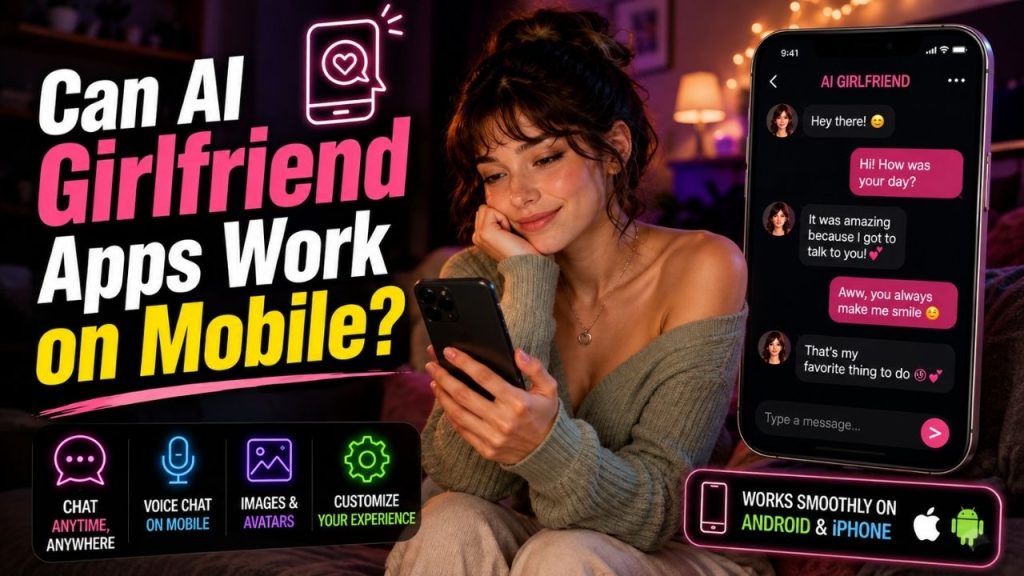
If you are planning to use an AI girlfriend app on your phone, the simple answer is yes. Many services can be used on mobile, either through an Android or iPhone app or directly in a mobile browser.
But before you assume that every service will work perfectly on your phone, there are a few things to check. Your device, operating system, internet connection, and the platform’s own requirements can all affect the experience.
For basic chatting, most modern smartphones should be able to handle a supported service without much trouble. Features such as voice chat, generated images, or animated characters may place higher demands on your phone or connection.
Table of Contents
How Can You Use an AI Girlfriend Service on Mobile?
You generally have two options.
You can download the platform’s mobile app, if one is available for your device. Or, if the service has a mobile friendly website, you can open it directly in your browser.
| Option | How It Works | Best For |
| Mobile app | Download and install it on your phone | Regular use |
| Mobile browser | Open the service through a website | Trying it without installing an app |
If you only want to see how the service works, the browser can be a simple place to start. If you plan to use it often, having the app on your phone may be more convenient.
Will It Work on Android and iPhone?
Many services support mobile devices, but you should check which operating systems are supported before getting started.
For example, a service might offer:
- An Android app
- An iPhone app
- A mobile website
- More than one of these options
Your phone’s software version also matters. If you are using an older device, a newer version of the app may not be compatible with your operating system.
So, if an app does not appear in your app store or refuses to install, your phone may not meet its requirements.
What Can You Do on Your Phone?
For most people, the main feature is simply chatting, and this works naturally on a mobile screen.
Depending on the service, you may also be able to:
- Choose or switch characters
- Customize certain settings
- Continue previous conversations
- View avatars or generated images
- Use voice features
- Manage your account
You should not expect every feature to be available everywhere. Sometimes the mobile app and web version offer slightly different experiences.
If there is one particular feature you want, such as voice messages or image generation, check whether it is available on the mobile version before choosing a platform.
Mobile App vs Mobile Browser
Both can work well, but they are useful in different situations.
| Feature | Mobile App | Mobile Browser |
| Installation | Required | Not usually required |
| Phone storage | Uses storage | No separate app |
| Quick access | Easy from home screen | Open through browser |
| Notifications | Usually more convenient | May be limited |
| Trying the service | Requires installation | Often quicker |
| Features | Depends on the service | May differ from the app |
If you do not like filling your phone with apps, browser access can be useful. You can simply open the website when you want to use it.
On the other hand, if you chat regularly, opening an app from your home screen may feel easier.
What Can Affect the Mobile Experience?
If the service is slow or does not work properly, the phone itself is not always the problem.
A few things can affect performance:
- Weak or unstable internet
- An older phone
- An outdated operating system
- An outdated browser or app
- Limited available storage
- Temporary problems on the platform’s side
- Voice, images, or other heavier features
For example, basic text chat may work smoothly while images or voice features take longer to load.
If something feels unusually slow, try checking your connection first. Updating the app or browser can also help.
Can Older Phones Still Work?
Sometimes, yes.
If your phone can run a supported browser or app version, you may still be able to use the service. However, older devices can struggle with newer or more demanding features.
You may notice:
- Slower loading
- Compatibility problems
- Features that do not appear
- An app that requires a newer operating system
- Less smooth performance with images or animations
If you have an older phone, checking the official requirements before signing up can save you some frustration.
What About Voice, Images, and Avatars?
These features can work on mobile, but they may need additional permissions or better device performance.
For example:
| Feature | What You May Need |
| Text chat | Internet connection |
| Voice input | Microphone permission |
| Voice playback | Phone audio |
| Images | Stable connection |
| Animated content | A compatible device and browser or app |
If voice input is not working, check whether microphone access has been allowed. If images are taking a long time to load, the issue could be related to your connection or the platform processing the content.
Is Mobile Actually Better Than Using a Computer?
That depends on how you use the service.
A phone is better when you want quick access. You can open a conversation wherever you are without sitting in front of a computer.
A larger screen can be better when you prefer longer conversations or want to manage settings more comfortably.
| Your Situation | Better Option |
| Quick chats during the day | Mobile |
| Using the service while travelling | Mobile |
| Long typing sessions | Laptop or desktop |
| Reading long conversations | Larger screen |
| You do not want to install an app | Mobile browser |
| You use the service frequently on your phone | Mobile app |
There is also no reason you have to choose only one device. If the platform supports the same account across devices, you may use your phone for quick conversations and a computer when you want a larger screen.
How to Check if It Will Work on Your Phone
Before downloading anything, take a minute to check the basics.
- See whether the service supports Android, iPhone, or mobile browsers.
- Check the required operating system version.
- Make sure the service is available in your region.
- Check whether the features you want are supported on mobile.
- If a web version is available, try opening it on your phone first.
This is especially useful if you have an older device or limited storage.
Conclusion
Yes, many AI girlfriend services work on mobile phones.
You may be able to use them through a dedicated app or directly from a mobile browser. For basic conversations, a supported smartphone and a stable internet connection are usually enough.
The experience can change depending on your device and the features you use. Voice, images, and animated content may require more from your phone than simple text conversations.
If you are unsure whether a particular service will work on your device, check its mobile compatibility before signing up or downloading anything.
FAQs
Can AI girlfriend apps work on Android phones?
Yes. Many services support Android, but the exact requirements can vary by platform and Android version.
Can I use one on an iPhone?
Yes, if the service provides an iPhone compatible app or a website that works properly in a supported mobile browser.
Do I have to download an app?
No. Some services can also be accessed through a mobile browser, although the available features may be different.
What do I need for a good mobile experience?
Usually, you need:
• A compatible phone
• A supported app or browser
• A reasonably updated operating system
• A stable internet connection
• Required permissions for features such as voice
Why is it running slowly on my phone?
A weak connection, an older device, outdated software, or heavier features such as images and voice can all affect performance.