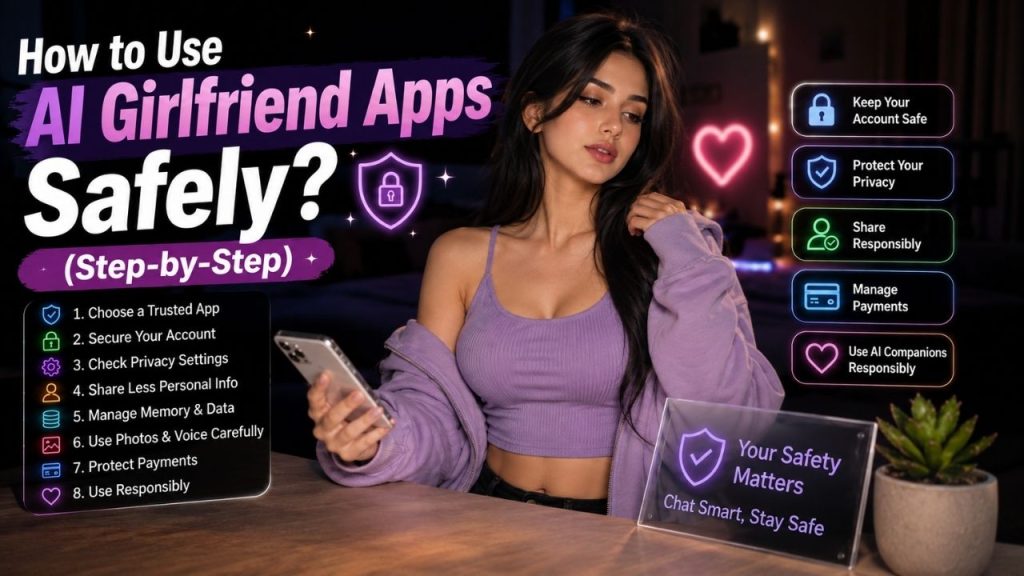
AI girlfriend apps are easy to start using. You create an account, choose a companion, and begin chatting within minutes. The part that deserves more attention is what you share and which features you enable.
You do not need to avoid these apps to protect yourself. A few simple habits can keep your account, personal information, money, and everyday routine under better control.
This guide walks through the process from choosing an app to managing chats, payments, photos, voice features, and daily usage. Follow the steps as you set up and use your AI companion.
Table of Contents
How to Use AI Girlfriend Apps Safely?
The safest approach is simple: choose the service carefully, secure your account, share less sensitive information, check the privacy controls, and keep an eye on your usage and spending.
You do not have to change everything at once. Start with the basic account and privacy settings, then review additional features when you decide to use them.
Step-by-Step Guide to Using AI Girlfriend Apps Safely
Step 1: Choose a Reputable AI Girlfriend App
Do not start by downloading the first AI girlfriend app you find. Spend a few minutes checking who operates it and what the service actually offers.
Open the official website or legitimate app store listing and look for basic information about the provider.
Check these before signing up:
- Company or developer name
- Official website
- Privacy policy
- Terms of service
- Customer support
- Subscription and cancellation information
- Age requirements
A clear privacy policy is particularly useful. It should explain what information the service collects, how it uses that information, and what choices you have over your data.
Be more cautious when an app has no identifiable developer, unclear payment terms, broken policy pages, or download links coming from random websites.
Step 2: Create a Strong and Unique Account
Once you have chosen the service, protect the account before starting personal conversations.
Use a password that you do not use anywhere else. If the platform offers additional security features, enable them.
For the account:
- Use a unique password.
- Do not reuse your email or banking password.
- Keep login details private.
- Enable available security options.
- Avoid signing in through links sent by unknown accounts.
This matters because your AI girlfriend account may contain more than chat messages. It can also include profile information, memories, images, subscription details, and other account activity.
Step 3: Review Privacy Settings Before Chatting
Before your first long conversation, open the privacy or account settings.
Look for controls related to chat history, memory, personalization, microphone, camera, images, and data management.
You do not need to turn off every feature. Instead, understand what each setting does and enable only the features you actually want.
For example, if you only want text conversations, there may be no reason to give the app microphone or camera access.
Checking these settings at the beginning is easier than trying to work out what happened to your information later.
Step 4: Limit the Personal Information You Share
This is probably the simplest safety rule to follow: talk naturally, but keep sensitive credentials out of the conversation.
You can discuss hobbies, entertainment, opinions, everyday experiences, or general preferences without giving an AI access to information that could compromise your security.
Never use an AI girlfriend chat as a place to store:
- Passwords
- OTPs or authentication codes
- Banking credentials
- Complete card details
- Government ID numbers
- Private work credentials
- Confidential documents
You also do not need to reveal your exact address, workplace details, or other identifying information just to have a personalized conversation.
Step 5: Be Careful With AI Memory
Memory can make an AI girlfriend feel much more consistent because the system may remember selected details between conversations.
That convenience comes with an important question: what exactly is being remembered?
Open the memory settings if the platform provides them and check what has been saved.
Look for options to:
- View saved memories
- Delete individual memories
- Clear stored memories
- Turn memory off, if supported
Remember that a saved memory and a complete conversation are not necessarily the same thing. Deleting a chat may not automatically remove a detail that was saved separately.
Step 6: Use Photos and Voice Features Carefully
Text chat is not the only place where personal information can be exposed. Photos and voice features need a little extra attention.
Before Uploading Personal Photos
Look at the image before sending it. A harmless-looking photo can contain information you did not intend to share.
Check for:
- Identification documents
- Addresses
- Work information
- Other people’s faces
- Private locations
- Personal items visible in the background
If the photo does not need to show those details, crop or remove them first.
Also check how the service handles uploaded images and whether they can be deleted later.
Before Using Voice Features
Voice conversations may involve audio processing and, depending on the service, transcripts or stored recordings.
Before using voice regularly, check the provider’s information about:
- Audio storage
- Voice transcripts
- Data retention
- Deletion options
You do not need to avoid voice features. Just understand what happens to the information before using them extensively.
Step 7: Protect Your Payments and Subscription
This is where many avoidable surprises happen. An AI girlfriend app may offer a free trial, monthly subscription, credits, or separate charges for premium features.
Before entering payment details, check exactly what you are buying.
| What to Check | Why It Matters |
| Free trial | Know when the paid plan begins |
| Auto renewal | Avoid unexpected recurring charges |
| Credits | Understand what each credit provides |
| Premium features | Check whether voice or images cost extra |
| Refund policy | Know the cancellation conditions |
After subscribing, keep track of the renewal date. If you stop using the service, cancel the subscription instead of assuming that uninstalling the app will stop future billing.
Step 8: Do Not Trust Every AI Response
An AI girlfriend can sound extremely confident and still get something wrong.
That is normal for conversational AI. A fluent response does not guarantee that the information has been checked or is current.
For everyday conversation, this may not matter much. For anything important, verify the answer independently.
Pay particular attention when asking about:
- Medical information
- Legal matters
- Financial decisions
- Current events
- Important technical issues
Use reliable sources or qualified professionals when the decision actually matters. Treat the AI as a conversational tool, not an automatic authority.
Step 9: Avoid Suspicious Links and Fake Apps
AI girlfriend services can be imitated. You may encounter fake websites, unofficial apps, phishing pages, or accounts pretending to represent a particular service.
Do not enter your login or payment information just because a message looks official.
Stop and check when you see:
- An unfamiliar download link
- A strange login page
- An unexpected payment request
- A message asking for your password
- An account claiming to be official without verification
- A support message that asks for sensitive information
When in doubt, open the service’s official website yourself rather than following the link you received.
Step 10: Keep Your AI Usage Balanced
Safety is not only about passwords and privacy. Your daily use matters too.
An AI girlfriend can be available whenever you want to chat, which makes it easy to spend more time with it than you originally planned.
Keep an eye on your routine. If conversations regularly interfere with sleep, work, studies, spending, or offline relationships, it is worth creating some boundaries.
You can set a simple limit for yourself, such as avoiding late-night conversations or keeping AI use separate from study and work hours.
How to Handle AI Girlfriend Chats Safely?
Once you have been using an AI girlfriend for a while, a few simple habits can keep your conversations easier to manage.
Delete Sensitive Conversations When Appropriate
You do not need to keep every conversation indefinitely.
If a chat contains personal information that you no longer need, check whether the platform lets you delete it.
Remember that deleting a visible chat does not necessarily mean every related memory, image, or backup copy is immediately removed. Check the provider’s deletion policy when that distinction matters.
Review Saved Memories Regularly
Memory can become more useful over time, but old or unwanted information can also remain there.
Every so often, open the memory controls and remove details you no longer want the AI to use.
This is particularly useful if your preferences have changed or you previously shared something that you now consider too personal.
Avoid Sharing Someone Else’s Private Information
Your own privacy is not the only consideration.
Do not upload another person’s private messages, photographs, contact details, passwords, or confidential documents simply because the AI can process them.
If you need to discuss a situation involving someone else, remove unnecessary identifying information first.
What Should You Do If Something Goes Wrong?
Mistakes happen. What matters is responding quickly when you notice one.
Step 1: Stop Sharing Information
If you realize that you have shared something sensitive, stop sending additional personal information.
Do not continue the conversation with more details while trying to fix the original mistake.
Step 2: Secure Your Account
If you think someone else may have access to your account, change your password immediately.
Also check:
- Available security settings
- Recent account activity
- Active sessions, if shown
- Connected devices, where supported
If the same password was used elsewhere, change it on those accounts too.
Step 3: Remove Available Data
Use the platform’s available controls to remove information you no longer want stored.
Depending on the service, that may include:
- Conversations
- Saved memories
- Uploaded images
- Profile information
For broader removal, check whether the provider offers an account or personal-data deletion request.
Step 4: Contact the Provider
Use the official support or privacy contact method if you need help with account access, billing, or data deletion.
Do not rely on a random social media account claiming to provide customer support. Start from the service’s official website.
Step 5: Watch for Follow Up Problems
If you accidentally shared sensitive login or payment information, take appropriate action on the affected account.
For example, if a password was exposed, change it. If financial information was compromised, contact the relevant financial institution and follow its security guidance.
A Simple AI Girlfriend Safety Checklist
Before using an AI girlfriend regularly, run through this checklist:
- Choose a service with identifiable ownership.
- Read the privacy policy.
- Use a unique account password.
- Review memory and privacy settings.
- Share only information you actually need to share.
- Be careful with personal photos and voice features.
- Understand subscription and renewal terms.
- Verify important AI generated information.
- Avoid suspicious links and unofficial downloads.
- Keep your AI use balanced with everyday life.
You do not need complicated security tools for most of these steps. The biggest improvement usually comes from making careful choices before sharing information.
Conclusion
Using an AI girlfriend safely comes down to a few practical habits: choose a trustworthy service, secure your account, share less sensitive information, review memory and privacy settings, be careful with photos and voice, understand payments, and verify important answers.
Do not treat an AI chat as a password manager, financial advisor, private document storage system, or replacement for every real world relationship.
Use the features you actually need, remove information you no longer want to keep, and pay attention when an app asks for access, money, or personal details.
That approach lets you enjoy AI companionship while keeping the most avoidable privacy, security, financial, and everyday use problems under control.
FAQs
1. Are AI girlfriend apps safe to use?
They can be used safely when you choose a reputable service and take basic precautions. No online service is completely risk free, so pay attention to privacy settings, account security, payments, and the information you share.
2. What information should I never share with an AI girlfriend?
Avoid sharing information that could compromise your identity, accounts, or finances.
• Passwords
• OTPs and authentication codes
• Banking credentials
• Complete card details
• Government ID numbers
• Confidential work documents
3. How can I protect my AI girlfriend account?
Use a unique password and enable available security features. Avoid logging in through unfamiliar links, never share your credentials, and review account activity if something appears unusual.
4. Is it safe to upload photos to an AI girlfriend app?
It depends on how the specific service handles uploaded images. Before uploading a personal photo, check its privacy policy and remove unnecessary identifying details from the image.
5. How can I avoid spending too much on AI girlfriend apps?
Check the subscription terms before paying and understand how free trials, auto renewals, credits, voice features, and image generation are billed. Keep track of renewal dates and cancel subscriptions you no longer use.