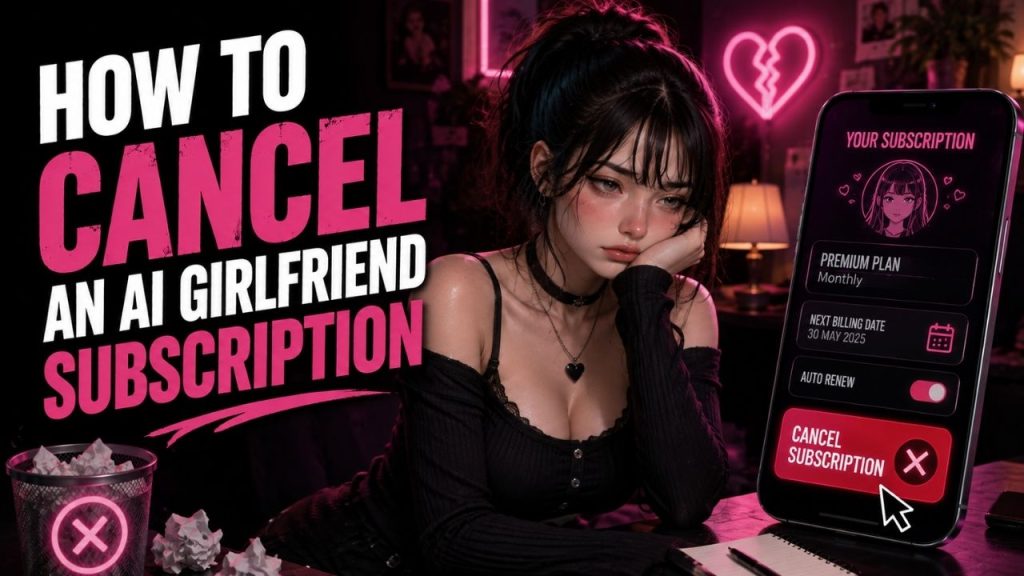
If you want to cancel an AI girlfriend subscription, the first thing you need to know is where you originally purchased it. This matters because a subscription bought directly from a website is usually managed differently from one purchased through Google Play or Apple.
Before doing anything else, check your payment receipt or subscription confirmation email. That will often tell you which platform is handling the recurring payment.
Table of Contents
First, Find Where You Bought the Subscription
The cancellation process usually depends on the purchase source.
| Where You Purchased It | Where You May Need to Cancel |
| Directly from the service website | Account, billing, or subscription settings |
| Through Google Play | Google Play subscription settings |
| Through Apple | Apple subscription settings |
One important thing to remember is that deleting the app does not usually cancel an active subscription. You need to turn off the subscription or auto renewal through the appropriate billing system.
How to Cancel a Subscription Bought Through the Website
If you subscribed directly through the service’s website, sign in to the same account you used when purchasing the plan. Look for sections such as Account, Settings, Billing, Membership, Manage Plan, or Subscription.
The process will usually look something like this:
- Sign in to your account.
- Open the account or billing section.
- Find your active subscription.
- Select Cancel, Manage Subscription, or a similar option.
- Follow the remaining instructions.
- Check for a cancellation confirmation.
The exact button names can vary. If you cannot find a cancellation option, check the service’s help section or contact its support team.
How to Cancel Through Google Play
If the subscription was purchased through Google Play, you normally need to manage it through the Google account used for the purchase.
The general process is:
- Open Google Play.
- Tap your profile icon.
- Select Payments & subscriptions.
- Open Subscriptions.
- Choose the relevant subscription.
- Select the cancellation option and follow the instructions.
If you cannot find it, check whether you are signed in to the correct Google account. It is also possible that the subscription was purchased directly through the service’s website instead.
How to Cancel Through Apple
For subscriptions purchased through Apple, the subscription is generally managed through your Apple Account.
You can usually:
- Open Settings.
- Tap your name or Apple Account.
- Select Subscriptions.
- Choose the subscription you want to cancel.
- Select Cancel Subscription or the available cancellation option.
- Confirm the cancellation if required.
The exact appearance of the menus can vary depending on your device and software version.
What Happens After You Cancel?
Canceling usually stops future automatic renewals. It does not necessarily mean that your premium access ends immediately.
Depending on the purchase terms, you may continue to have access until the end of the current paid billing period. After that date, premium features may no longer be available unless you subscribe again.
After canceling, check:
- Whether auto renewal is turned off
- The date your current access ends
- Whether you received a confirmation
- Whether the subscription still appears as active or canceled
- Whether any credits or feature access are affected
Do not rely only on uninstalling the app or assuming that the payment will stop automatically.
Canceling Is Not the Same as Requesting a Refund
These are two separate actions.
Cancellation is generally used to stop future renewals. It does not automatically reverse a payment that has already been processed.
A refund, if available, depends on factors such as:
- Where you made the purchase
- The service’s refund policy
- The rules of the payment platform
- The circumstances of the purchase
If you want your payment back, check the refund policy separately rather than assuming that cancellation will automatically result in a refund.
What If You Cannot Find the Cancel Option?
Start by checking your payment receipt. This can help you identify whether the subscription was purchased through the website, Google Play, or Apple.
You should also:
- Confirm that you are using the correct account
- Check for another Google or Apple account you may have used
- Look in the billing or subscription section
- Search your email for the original purchase confirmation
- Contact the service’s official support if the subscription cannot be located
Avoid creating a new account to try to cancel an existing subscription. The cancellation usually needs to be managed from the account or payment platform connected to the original purchase.
Before You Consider the Cancellation Complete
Take a moment to confirm that everything has been processed correctly.
| What to Check | Why It Matters |
| Cancellation confirmation | Confirms that the request was completed |
| Next renewal date | Helps you verify that future billing should stop |
| Access end date | Shows how long premium features may remain available |
| Account status | Confirms whether the subscription is active or canceled |
| Credits or other balances | Some services may have separate rules for them |
Keeping the confirmation email or taking a screenshot of the cancellation status can also be useful for your records.
Conclusion
Canceling an AI girlfriend subscription is usually straightforward once you know where the subscription was purchased. Website subscriptions are generally managed through the service’s account or billing area, while purchases through Google Play or Apple are usually managed through their respective subscription settings.
The most important step is to confirm the cancellation after completing it. Check that auto renewal has been turned off and note when your current paid access ends.
And remember, uninstalling the app and canceling a subscription are not the same thing. If recurring billing is active, you normally need to cancel it through the relevant account or payment platform.
FAQs
How do I cancel my AI girlfriend subscription?
First, identify where you purchased it. Website subscriptions are usually managed through account or billing settings, while Google Play and Apple purchases are generally managed through their subscription sections.
Does deleting the app cancel the subscription?
No. Removing an app does not usually cancel an active subscription or stop recurring billing.
Will I lose access immediately after canceling?
Not always. Depending on the purchase terms, access may continue until the end of the current billing period.
Can I get a refund after canceling?
Cancellation does not automatically provide a refund. Refund eligibility depends on the purchase source and applicable policy.
What should I do if I cannot find my subscription?
Check your payment receipt, confirm that you are signed in to the correct account, and verify whether the purchase was made through the website, Google Play, or Apple.